
Mirror for glass
Flip horizontally or vertically for beam-splitter teleprompters.
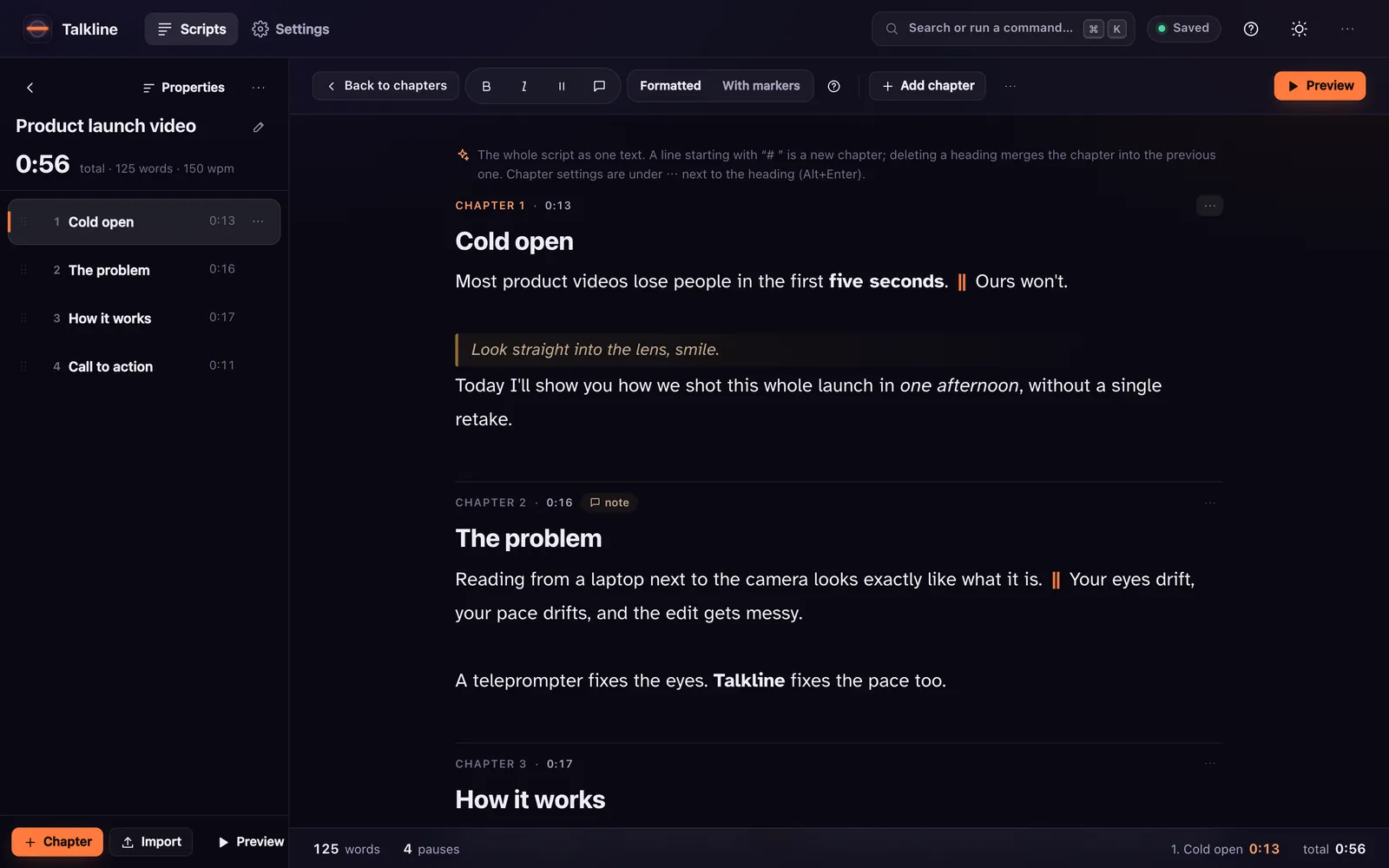
Talkline is a teleprompter made for shooting video. Set the speed in words per minute, run it with a remote, keyboard, pedal or your voice, and finish exactly when the estimate said you would.
1 · Cold open
Most videos lose people in the first five seconds. Ours won’t.
Note · not readLook straight into the lens and smile.
Today I’ll show you how we shot this whole launch in one afternoon, without a single retake.
2 · The problem
Reading from a laptop next to the camera looks exactly like what it is. Your eyes drift, your pace drifts, and the edit gets messy.
A teleprompter fixes your eyes. Talkline fixes your pace, too.
3 · How it works
Set the speed in words per minute. The estimate uses the same unit, so if the script says two minutes, you finish in two minutes.
Note · not readB-roll: remote in hand, pedal under the desk.
Press A to start, B to change direction, and hold B to roll back.
Works with what you already have
Set the text brightness right in the app, separately from the screen, and mirror it for glass teleprompter rigs.
See howMargins on every side keep the text in a calm band in the middle of the screen, so your eyes barely move.
Try itConnect Claude, ChatGPT or any MCP client. It reads and edits your scripts, and every change can be undone.
Learn moreSync between iPhone, iPad and the web editor on our own server. No passwords, and it all works offline too.
Learn moreThe prompter speed and the duration estimate use the same unit: words per minute. If the script says 2:40, reading at that pace ends at 2:40. No guessing with a mystery speed slider.
read words ÷ pace + pauses
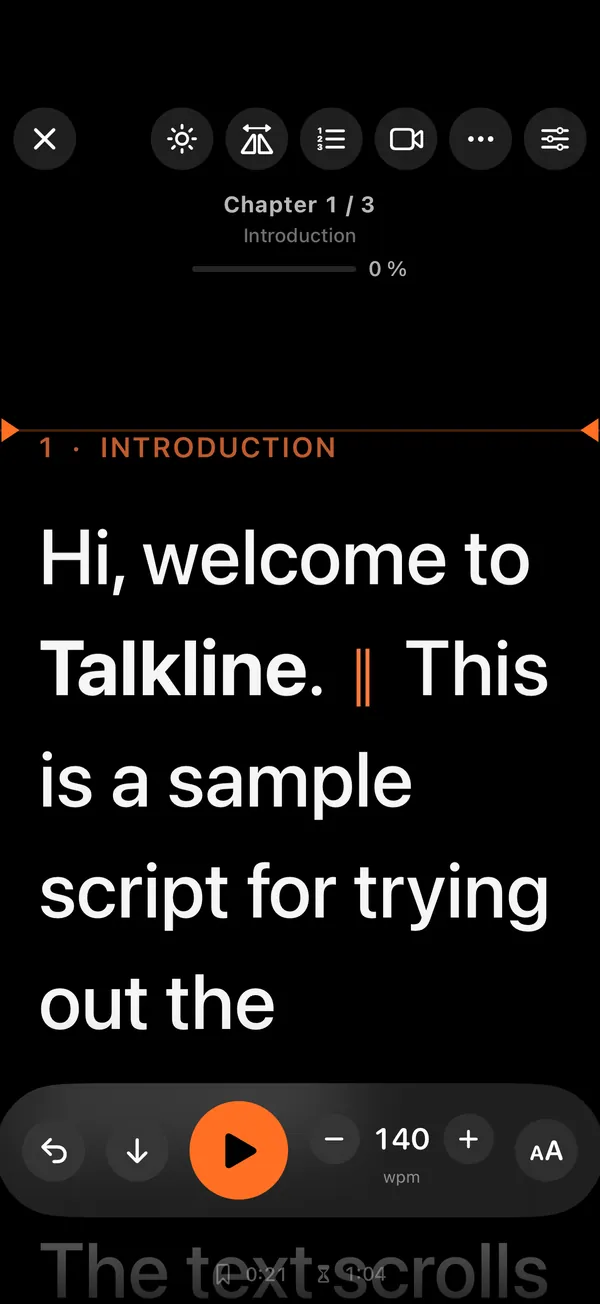
On a wide screen your eyes sweep from edge to edge, and the camera sees every sweep. Set the margins from every side, or just choose Center, and the text runs in a narrow band in the middle of the screen.
Scroll the page and the text rolls on.
On a glass (beam-splitter) teleprompter, a screen at full brightness glows on the glass, lights up your face and shows up as a reflection in the shot. In Talkline you set the text brightness right in the app, independently of the device brightness, and mirror the text so it reads the right way round on the glass.
Most videos lose people in the first five seconds.
The glass reflects the screen backwards – turn on MirrorMirrored – reads correctly in the glassA few light marks tell you how to read. They show up in the prompter, and the estimate counts them right.
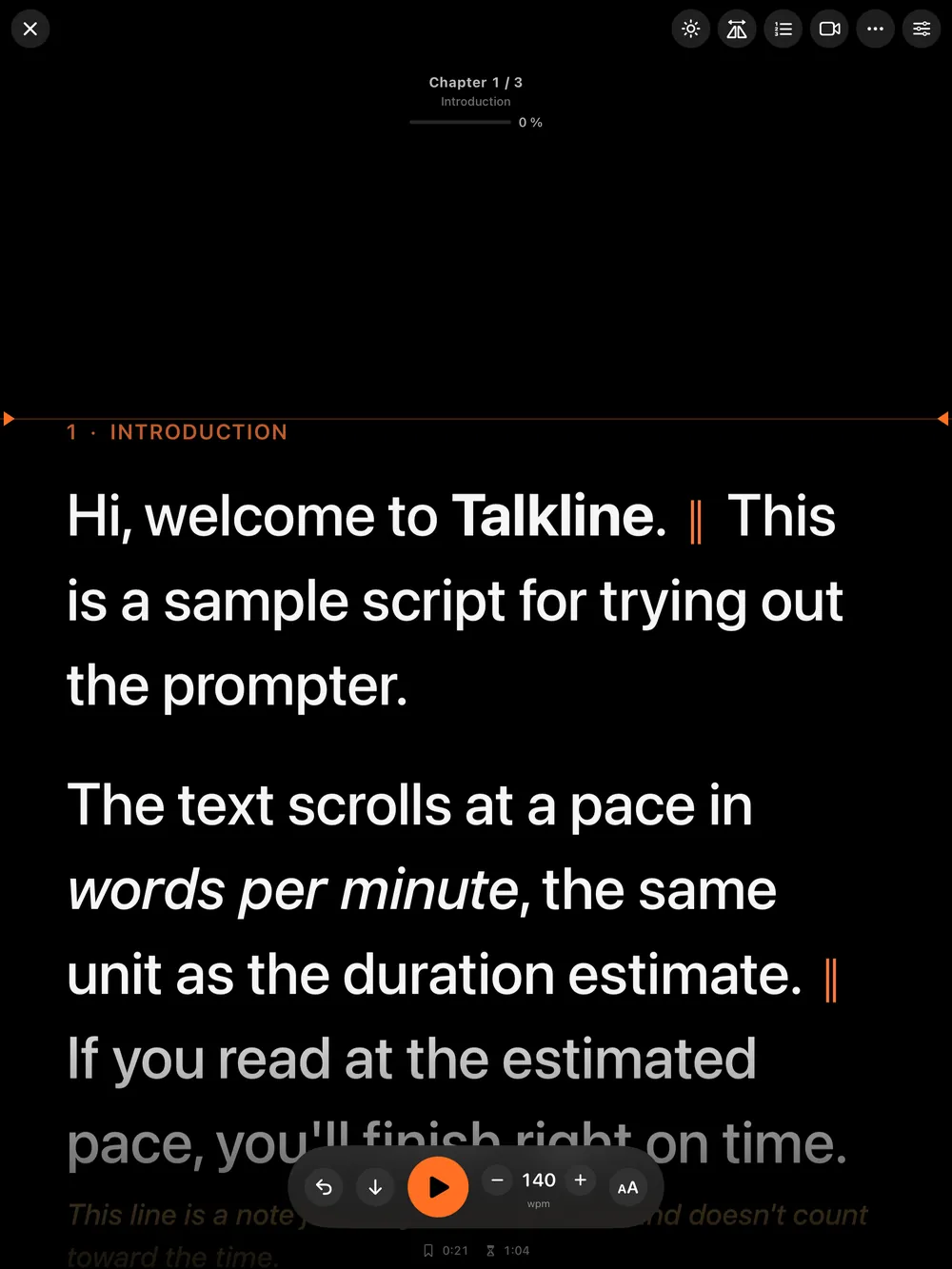
Most videos lose people in the first **five seconds.** // Ours won’t.
> Look straight into the lens.
Set the speed in *words per minute.*
Most videos lose people in the first five seconds. Ours won’t.
Note · not readLook straight into the lens.
Set the speed in words per minute.
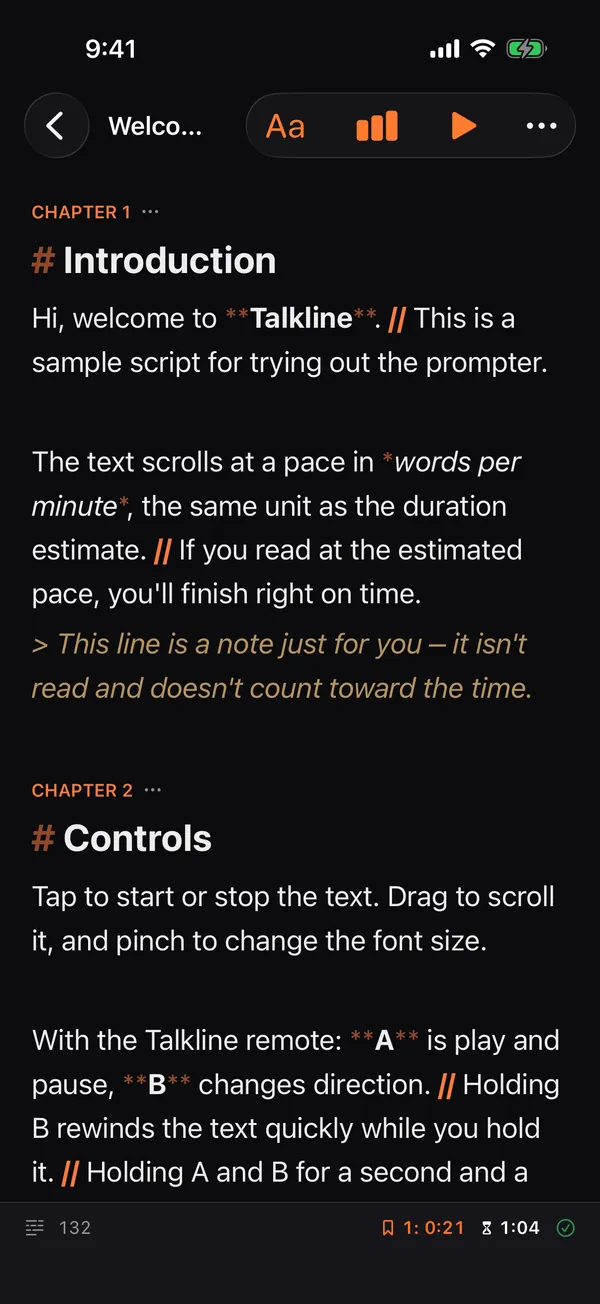
Camera mode goes full screen with nothing distracting, and the screen stays on. Touch lock guards against stray taps, and the rest is there when you need it.
Flip horizontally or vertically for beam-splitter teleprompters.
Dim just the text, not the whole phone, so it doesn’t light up your face or the glass.
Gentle starts and stops, a reading line where you want it, a countdown.
Front or back camera, the text over the image, an external microphone with a level meter. Takes go straight to Photos.
The text follows your reading, with speech recognition on the device wherever iOS supports it. Stop talking and it waits for you.
A floating window over Camera, Zoom and others, and a Live Activity with time left in the Dynamic Island.
HDMI or AirPlay: the text fills the monitor and your phone becomes the controller.
Half open on a table: text on top, big controls below. Held like a book: side by side.
One app for both. Write on the iPad with a keyboard, read from the iPhone by the camera. Turn on the cloud and your library, chapters and pace settings are the same on each.
Talkline recognizes many devices by name and offers the right preset. Anything else, you teach with a single press: “press the button for play”. Done.
Our own two-way Bluetooth remote with a display. It shows what the app is doing: playing or paused, your pace, the chapter and the time left. The app defines its menu.
A do-it-yourself build on an inexpensive ESP32 board with a 3D-printable case. Not sold as a product.
Space start and stop, ↑ ↓ speed, ← → chapters, M mirror.
Next starts and stops, Previous changes direction. Hold to fast forward or roll back.
Xbox, PlayStation, MFi and 8BitDo. A starts and stops, the D-pad sets speed and chapters.
Play/pause on your headphones, and the volume buttons while recording.
Remotes that only work with their maker’s app, or cheap shutter buttons that fake a tap, are marked as unsupported in the app, with the reason why.
Talkline runs its own cloud, built and operated by us, not a third-party service. It keeps your scripts in sync between iPhone, iPad and the web editor, and it’s included with the app. No e-mail and no password: you sign in to the web by scanning a QR code with the app.
Built from scratch and run by us, with no third-party sync service in between. Your scripts aren’t shared with anyone or used for anything else.
Your device keeps the whole library. Write on a plane, and it syncs once you’re back online.
Your account is your device key and your purchase. The web signs in with a QR code, and a recovery code covers the worst case.
Formatted or with marks, live word count and duration, shortcuts, a command palette and a prompter preview.
Edits made in two places at once are merged. When that’s impossible, both versions are kept.
Every chapter keeps its earlier versions, and anything you delete waits 30 days in the trash.
Bring in TXT, Markdown or Word. Take out TXT, Markdown or a print-ready PDF with times.
A running prompter never changes under you. It offers to reload when the text was edited elsewhere.
Export all your data or delete your cloud account any time, right in the app.
Talkline’s cloud has its own MCP server. Connect Claude, ChatGPT or any other MCP client, and it can read, write and edit your scripts: check durations, draft new chapters and tighten your wording, on your terms.
In the app, on the web or with your AI assistant. Or import what you already have.
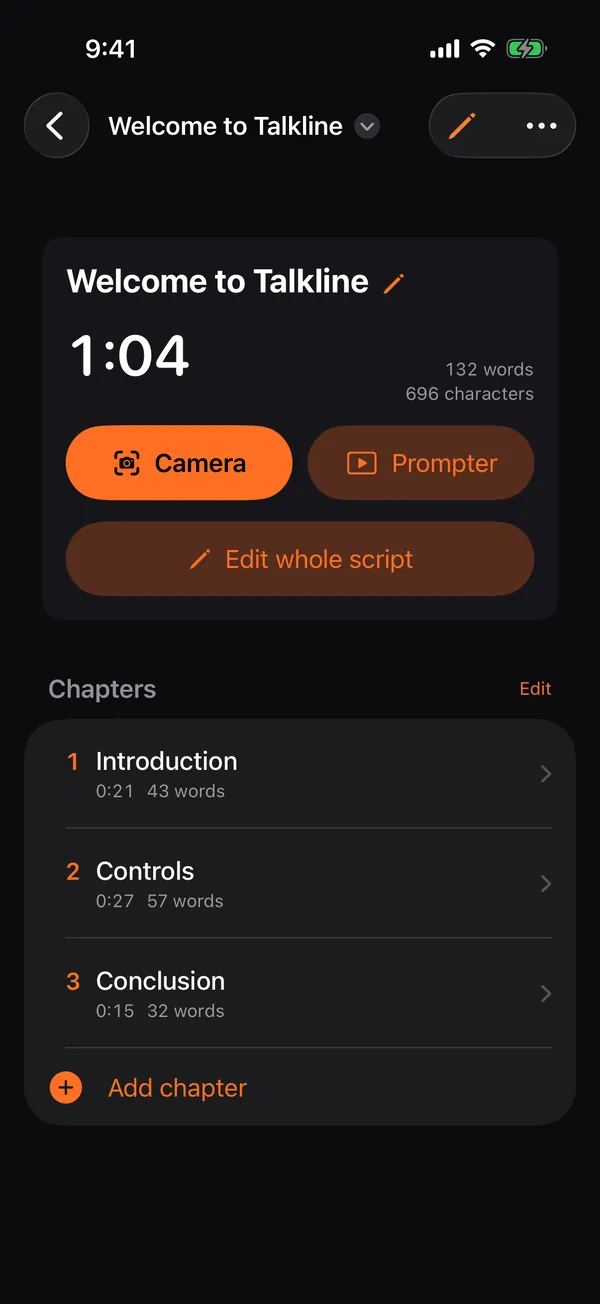
Pick words per minute and see exactly how long each chapter takes.
Start with a remote, pedal or your voice. Mirror for glass, record in the app or on your camera.
Fix a line on the web, and it’s on your iPhone before the next take.
Talkline is coming soon to the App Store. The price isn’t set yet. It will be a paid app with no subscription, and the cloud is included.
iPhone and iPad with iOS or iPadOS 17 or later. The app is in English and Czech.
No. Talkline works fully offline and without an account. The cloud is optional and only needed to sync between devices and the web.
Bluetooth keyboards, presentation clickers, page-turner pedals and remotes that act as a keyboard, game controllers (Xbox, PlayStation, MFi, 8BitDo), headphone buttons, the volume buttons while recording, and the Talkline Remote. Unknown devices can be taught with one press per action.
Yes. Mirror the text horizontally, vertically or both, and set the text brightness right in the app, independently of the device brightness, so the screen doesn’t glare on the glass or show up as a reflection in your shot.
Yes. Set the text margins from the left, right, top and bottom, or choose the Center preset. The text then runs in a band in the middle of the screen with softly fading edges, the reading line stays inside it, and your eyes move much less while you read.
Yes, with the front or back camera and the text near the lens, an external microphone if you have one, and takes saved to Photos. Or keep your own camera and use Talkline as the prompter.
English, Czech, Slovak and German, using Apple’s speech recognition, on the device wherever iOS supports it. For other languages it simply moves while you speak and stops when you’re quiet.
Yes. MCP (Model Context Protocol) is an open standard for connecting AI assistants to apps. Talkline’s cloud has its own MCP server, so Claude, ChatGPT or any other MCP client can read your scripts and, if you allow it, write and edit them. Add https://app.talklineapp.com/mcp as a custom connector, or use a personal token.
Always on your device. If you turn on the cloud, they’re also stored on our own server, so they can sync between your iPhone, iPad and the web editor. It’s our own cloud, not a third-party service: we don’t share your scripts with anyone or use them for anything else, and you can export everything or delete your account at any time.
You decide whether it may only read or also edit. It can’t delete anything, every change it makes is listed with a before and after and can be restored, and any script can be hidden from AI.
Talkline for iPhone and iPad is almost ready for its first take.
App StoreComing soon iPhone and iPad · iOS 17 or later